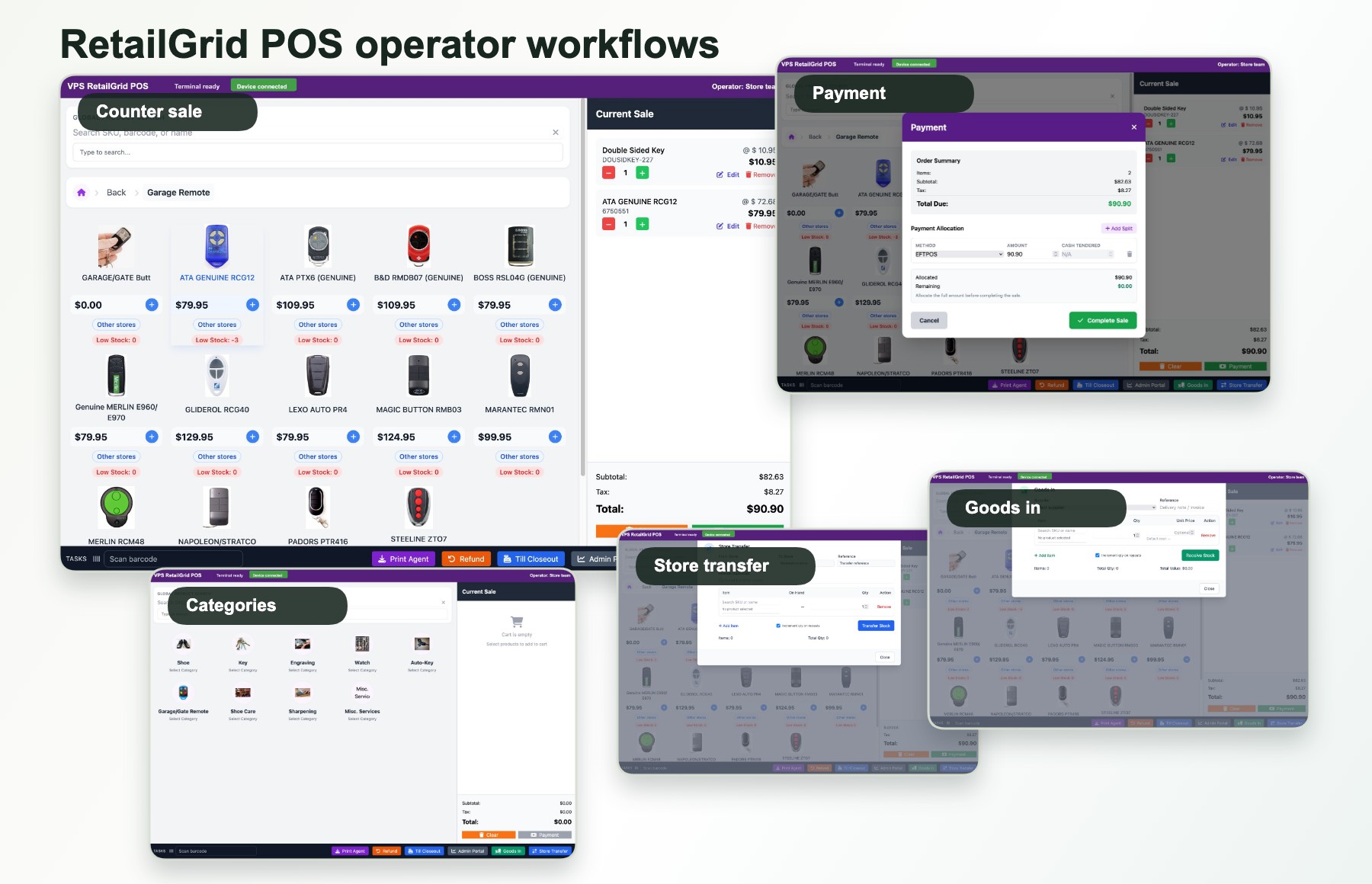
Retail POS system
POS system for retail stores that need sales, stock, and customer visibility.
RetailGrid gives small retail shops and growing store networks a focused point of sale system for checkout, inventory, customers, loyalty, staff access, and store reporting.
For everyday shop operations
A retail POS built around the jobs store teams actually repeat.
A shop does not only need a till. It needs a practical way to sell products, keep product records clean, understand stock pressure, look up customers, manage staff access, and review daily store activity.
Counter sales
Give staff a clear POS terminal for product lookup, cart handling, payment, receipts, and sales history.
Retail inventory
Keep products, categories, brands, suppliers, stock status, and goods-in close to the selling workflow.
Customers and loyalty
Support customer lookup, profile context, VIP-style segments, and loyalty-ready workflows.
Store reporting
Review store sales, transactions, product movement, customers, and till closeout without a full ERP rollout.
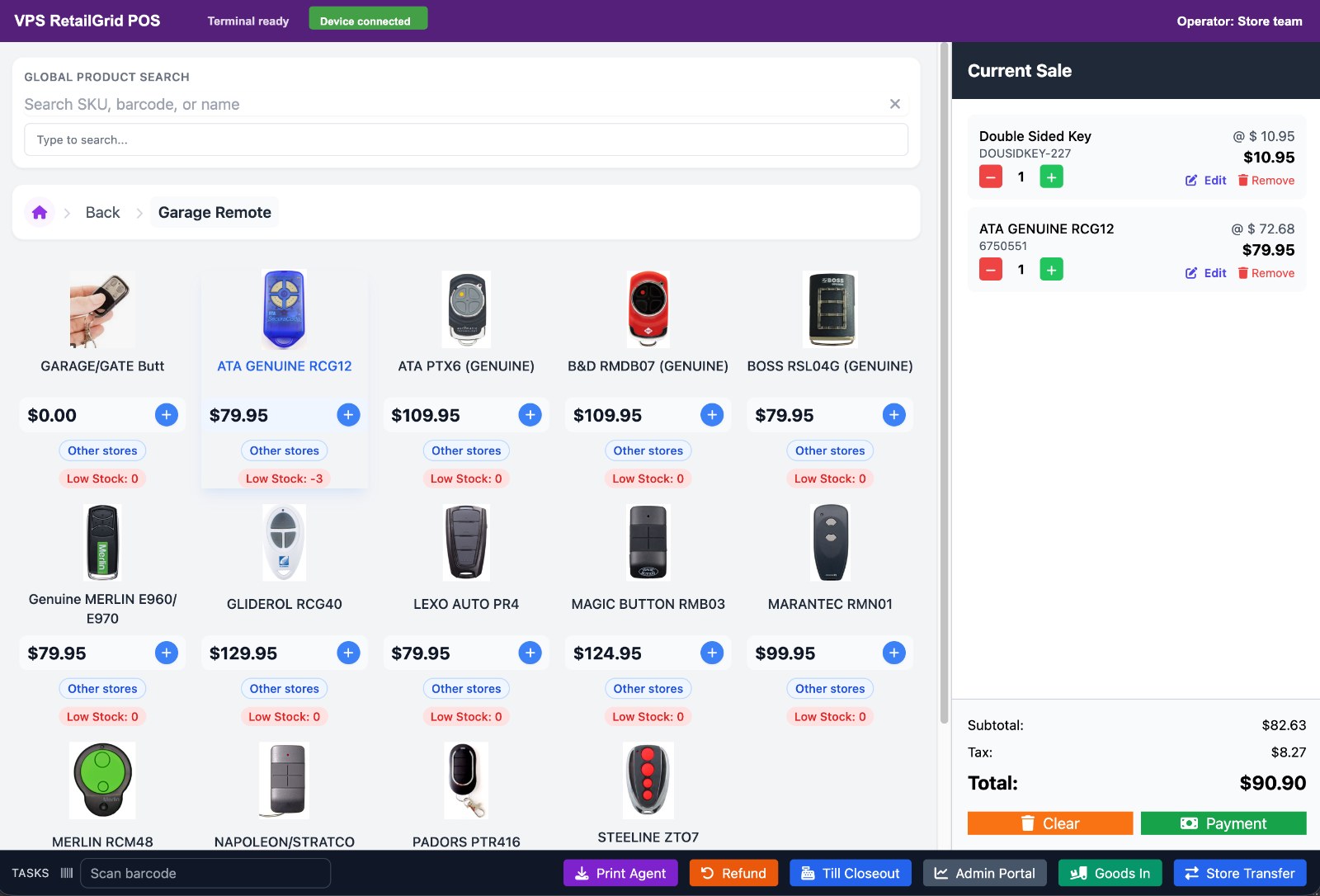
From one shop to multiple stores
Start with a focused shop POS, then keep the same operating model as stores grow.
RetailGrid can support single-store retailers that need discipline now and multi-store retailers that need shared products, store controls, terminals, operators, and management visibility.
Retail POS questions
Fit the system to the way the shop runs.
Is it only for multi-store retailers?
No. A single store can use the same focused POS, stock, customer, and reporting workflow before adding more locations.
Can it help with inventory?
Yes. RetailGrid keeps product, category, brand, supplier, stock status, goods-in, and product reporting close to POS operations.
Is this a full ERP?
RetailGrid is the focused retail POS path. Broader ERP, marketplace, website, and automation needs belong with VPS Foundation Suite.
Retail POS fit
Planning a POS system for a shop or store network?
Tell us the store type, store count, current POS, stock process, and the first workflow you want to improve.