Reporting
Store visibility for practical retail decisions.
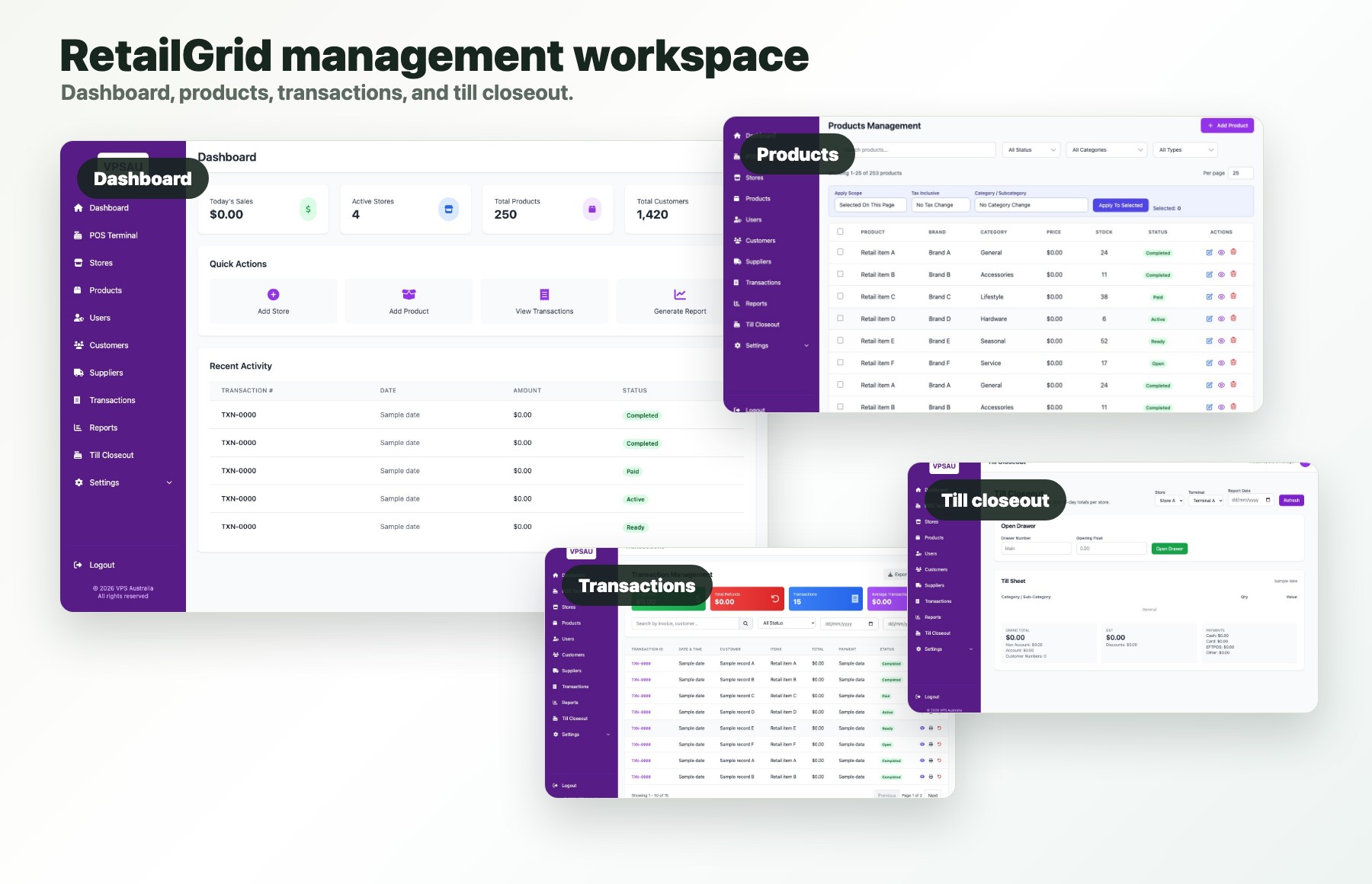
RetailGrid reporting should help operators understand sales, stores, transactions, product movement, customers, goods-in, and transfers without implying enterprise BI complexity.
Dashboard language
Useful visibility, not a data warehouse pitch.
RetailGrid reporting stays close to store work: recent transactions, total sales, active stores, product counts, customer counts, goods-in reports, and store transfer reports.
Today
$18,420
Total sales across selected stores.
Stores
4
Active locations in the tenant.
Products
2,816
Products available for retail operations.
Customers
1,248
Customer records and loyalty context.
Admin portal views
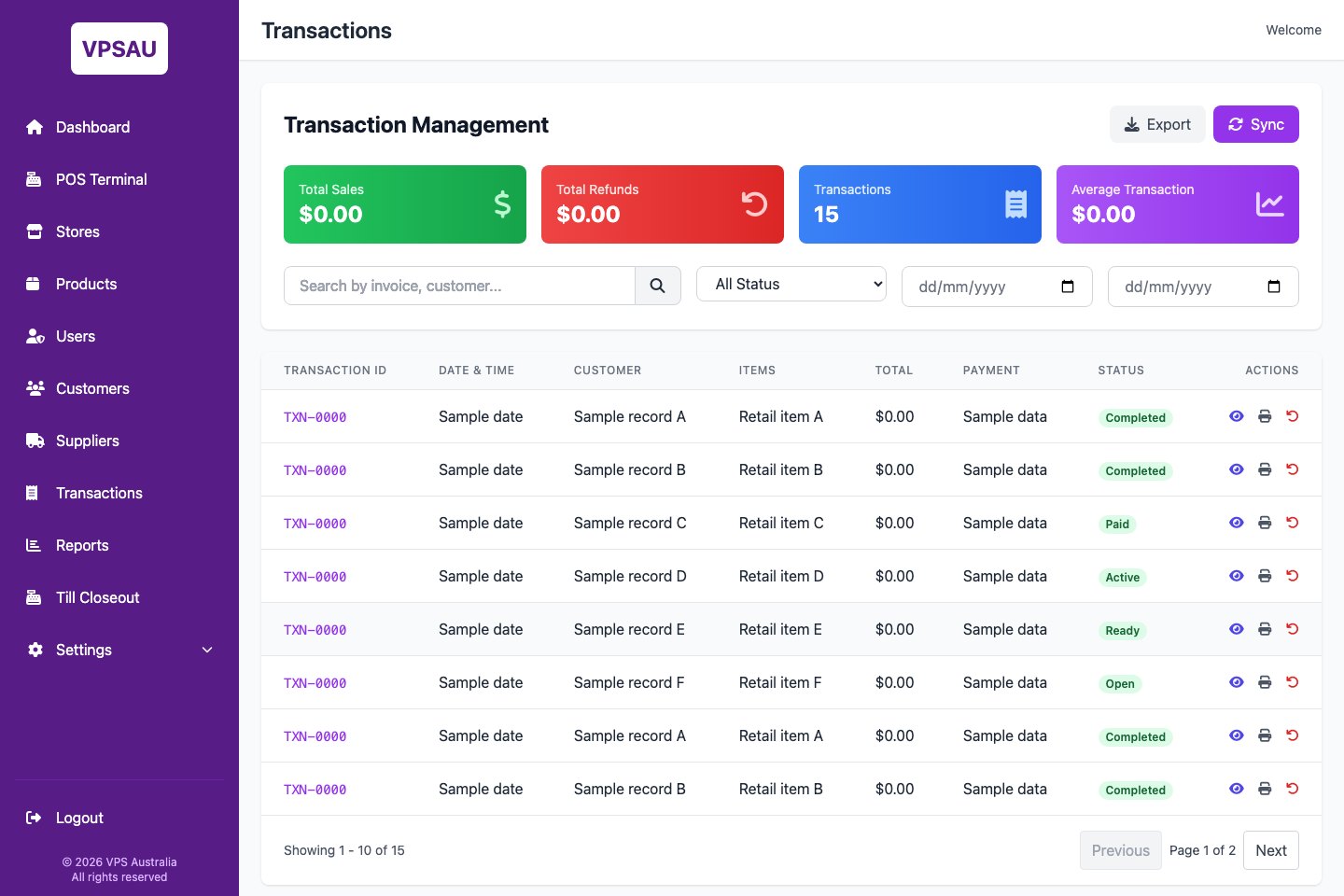
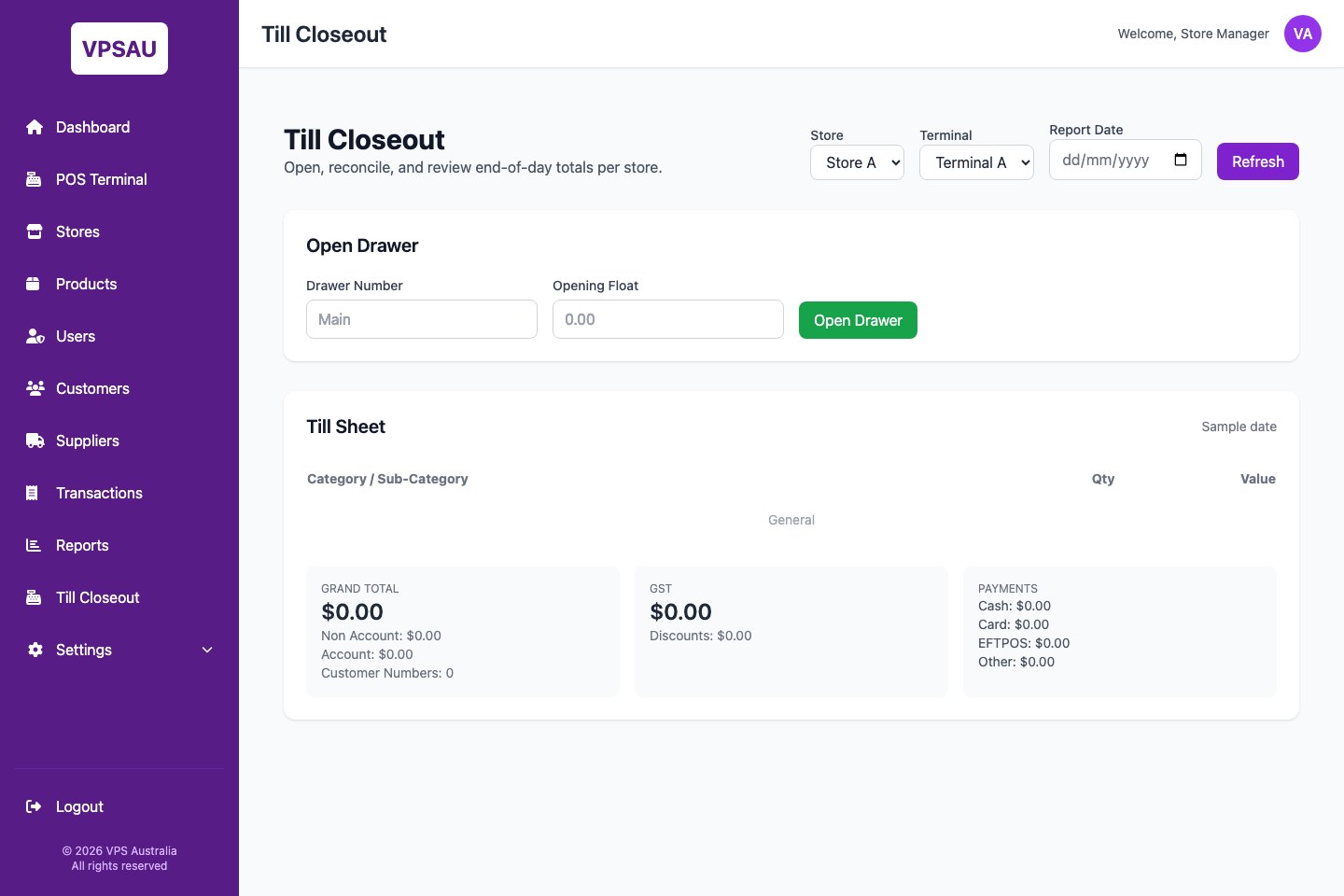
Transactions and closeout stay visible after the sale.
RetailGrid keeps the practical reporting surfaces behind the POS close at hand: transaction management, payment status, end-of-day till totals, and store-level reconciliation.
Report set
The reports a store operator expects first.
Sales reporting
Review total sales, completed transactions, payment status, and store performance.
Product performance
See what is moving, where stock pressure appears, and what should be checked next.
Store movement
Use goods-in and store transfer reporting to support practical stock conversations.
Reporting fit
What visibility do your stores need first?
The demo can focus on sales, transactions, stores, products, customers, goods-in, or transfer reporting depending on the operator's current pain.